WBlog

wangzhiwei blog

0%

graphql + express

package.json

1
2
3
4
5
6
7
8
9
10
11
12
13
14
15
16
17
18
19
20

{
"name": "01",
"version": "1.0.0",
"main": "index.js",
"scripts": {
"test": "echo \"Error: no test specified\" && exit 1"
},
"keywords": [],
"author": "",
"license": "ISC",
"description": "",
"dependencies": {
"express": "^4.21.2",
"express-graphql": "^0.12.0",
"graphql": "^16.9.0",
"nodemon": "^3.1.7"
}
}

helloworld.js

1
2
3
4
5
6
7
8
9
10
11
12
13
14
15
16
17
18
19
20
21
22
23
24
25
26
27
28
29
30
31
32
33
34
35
36
37
38
39
40
41
42
43
44
45
46
47
48
49
50
51
52
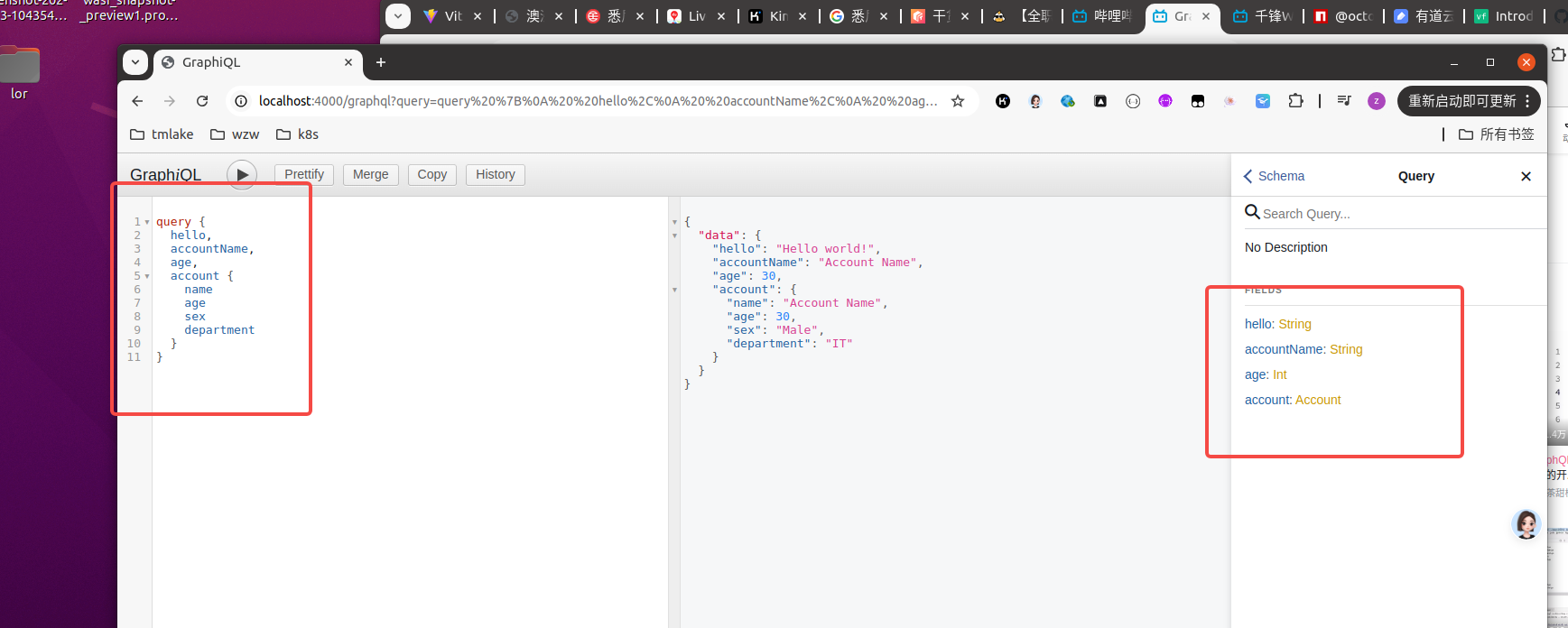
const express = require('express');
const { buildSchema } = require('graphql');
const {graphqlHTTP} = require('express-graphql');

const schema = buildSchema(`
type Account {
name: String
age: Int,
sex: String,
department: String
}
type Query {
hello: String,
accountName: String,
age: Int,
account: Account
}
`);

const root = {
hello: () => {
return 'Hello world!';
},
accountName: () => {
return 'Account Name';
},
age: () => {
return 30;
},
account: () => {
return {
name: 'Account Name',
age: 30,
sex: 'Male',
department: 'IT'
}
}
};

const app = express();


app.use('/graphql', graphqlHTTP({
schema: schema,
rootValue: root,
graphiql: true,
}));


app.listen(4000);


1
2
3
4

nodemon helloworld.js


二、

baseType.js

1
2
3
4
5
6
7
8
9
10
11
12
13
14
15
16
17
18
19
20
21
22
23
24
25
26
27
28
29
30
31
32
33
34
35
36
37
38
39
40
41
42
43
44
45
46
47
48
49
50
51
52
53
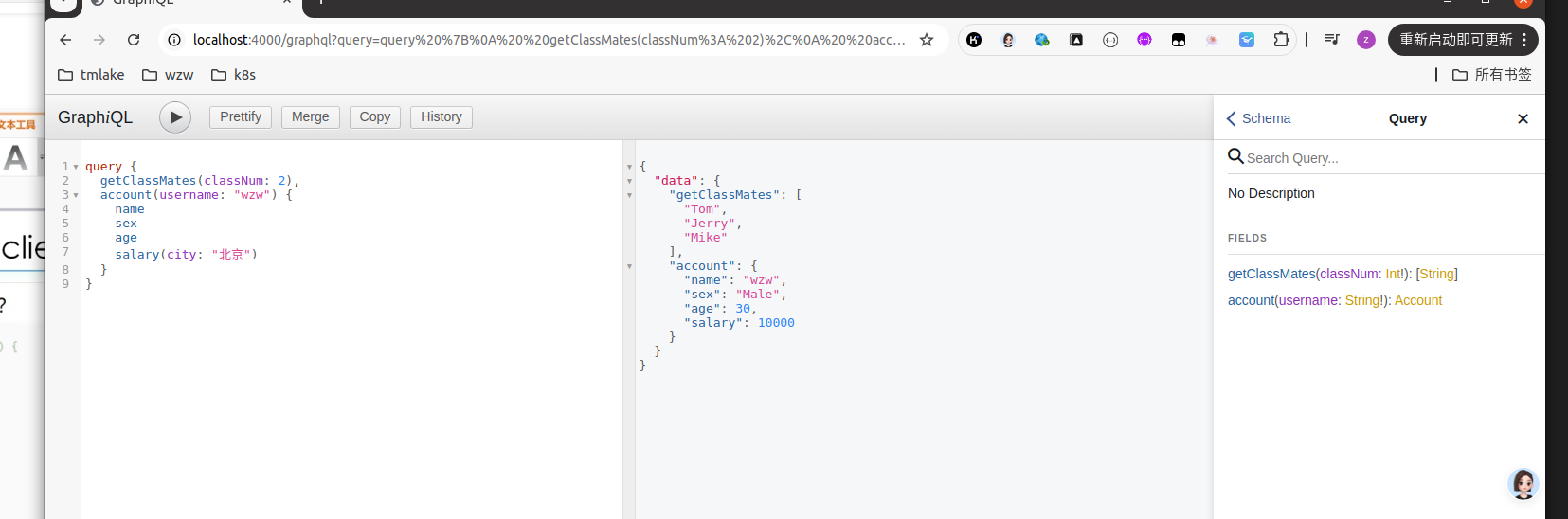
const express = require('express');
const { buildSchema } = require('graphql');
const {graphqlHTTP} = require('express-graphql');

//!为必须参数
const schema = buildSchema(`

type Account {
name: String
age: Int
sex: String
department: String
salary(city: String!): Int
}
type Query {
getClassMates(classNum: Int!):[String]
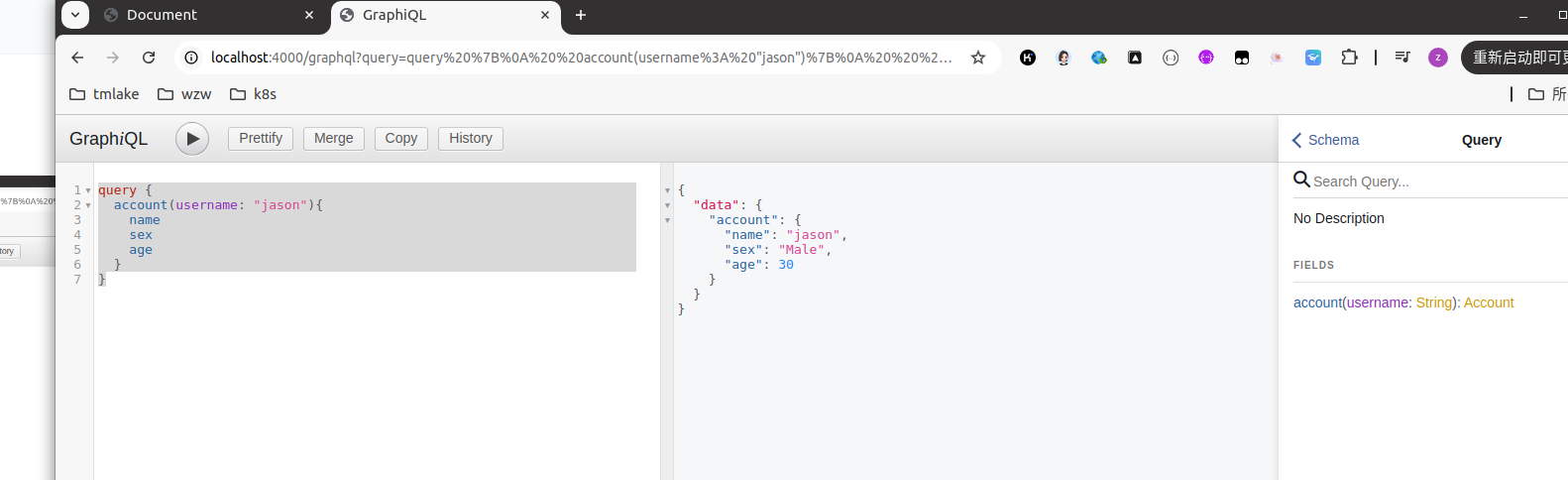
account(username: String!): Account
}
`);

const root = {
getClassMates: ({classNum}) => {
const obj = {
1: ['Jack', 'Rose', 'Lucy'],
2: ['Tom', 'Jerry', 'Mike']
}

return obj[classNum];
},
account: ({username}) => {
const name = username;
const sex = 'Male';
const age = 30;
const department = 'IT';
const salary = ({city}) => {
return city === '北京' ? 10000 : 4000;
}
return {name, sex, age, department, salary};
}
};

const app = express();


app.use('/graphql', graphqlHTTP({
schema: schema,
rootValue: root,
graphiql: true,
}));

app.listen(4000);


baseType.js

1
2
3
4
5
6
7
8
9
10
11
12
13
14
15
16
17
18
19
20
21
22
23
24
25
26
27
28
29
30
31
32
33
34
35
36
37
38
39
40
41
42
43
44
45
46
47
48
49
50
51
52
53
54
55
56
57
const express = require('express');
const { buildSchema } = require('graphql');
const {graphqlHTTP} = require('express-graphql');

//!为必须参数
const schema = buildSchema(`

type Account {
name: String
age: Int
sex: String
department: String
salary(city: String): Int
}
type Query {
getClassMates(classNum: Int!):[String]
account(username: String): Account
}
`);

const root = {
getClassMates: ({classNum}) => {
const obj = {
1: ['Jack', 'Rose', 'Lucy'],
2: ['Tom', 'Jerry', 'Mike']
}

return obj[classNum];
},
account: ({username}) => {
const name = username;
const sex = 'Male';
const age = 30;
const department = 'IT';
const salary = ({city}) => {
return city === '北京' ? 10000 : 4000;
}
return {name, sex, age, department, salary};
}
};

const app = express();


app.use('/graphql', graphqlHTTP({
schema: schema,
rootValue: root,
graphiql: true,
}));


//静态资源目录
app.use(express.static('public'));

app.listen(4000);


index.html

1
2
3
4
5
6
7
8
9
10
11
12
13
14
15
16
17
18
19
20
21
22
23
24
25
26
27
28
29
30
31
32
33
34
35
36
37
38
39
40
41
42
43
44
45
46
47
48
49
50
51
52

<!DOCTYPE html>
<html lang="en">
<head>
<meta charset="UTF-8">
<meta name="viewport" content="width=device-width, initial-scale=1.0">
<title>Document</title>
</head>
<body>

<button onclick="getData()">获取数据</button>

<script>

function getData(){
// 1.创建对象
const query = `
query Account($username: String, $city: String) {
account(username: $username) {
name
age
sex
salary(city: $city)
}
}
`
const variables = {
username: 'zhangsan',
city: '北京'
}

fetch('/graphql', {
method: 'POST',
headers: {
'Content-Type': 'application/json',
'Accept': 'application/json',
},
body: JSON.stringify({query, variables})
})
.then(res => res.json())
.then(data => {
console.log(data)
}
)

}

</script>
</body>
</html>


四、添加、修改、查询

mutation.js

1
2
3
4
5
6
7
8
9
10
11
12
13
14
15
16
17
18
19
20
21
22
23
24
25
26
27
28
29
30
31
32
33
34
35
36
37
38
39
40
41
42
43
44
45
46
47
48
49
50
51
52
53
54
55
56
57
58
59
60
61
62
63

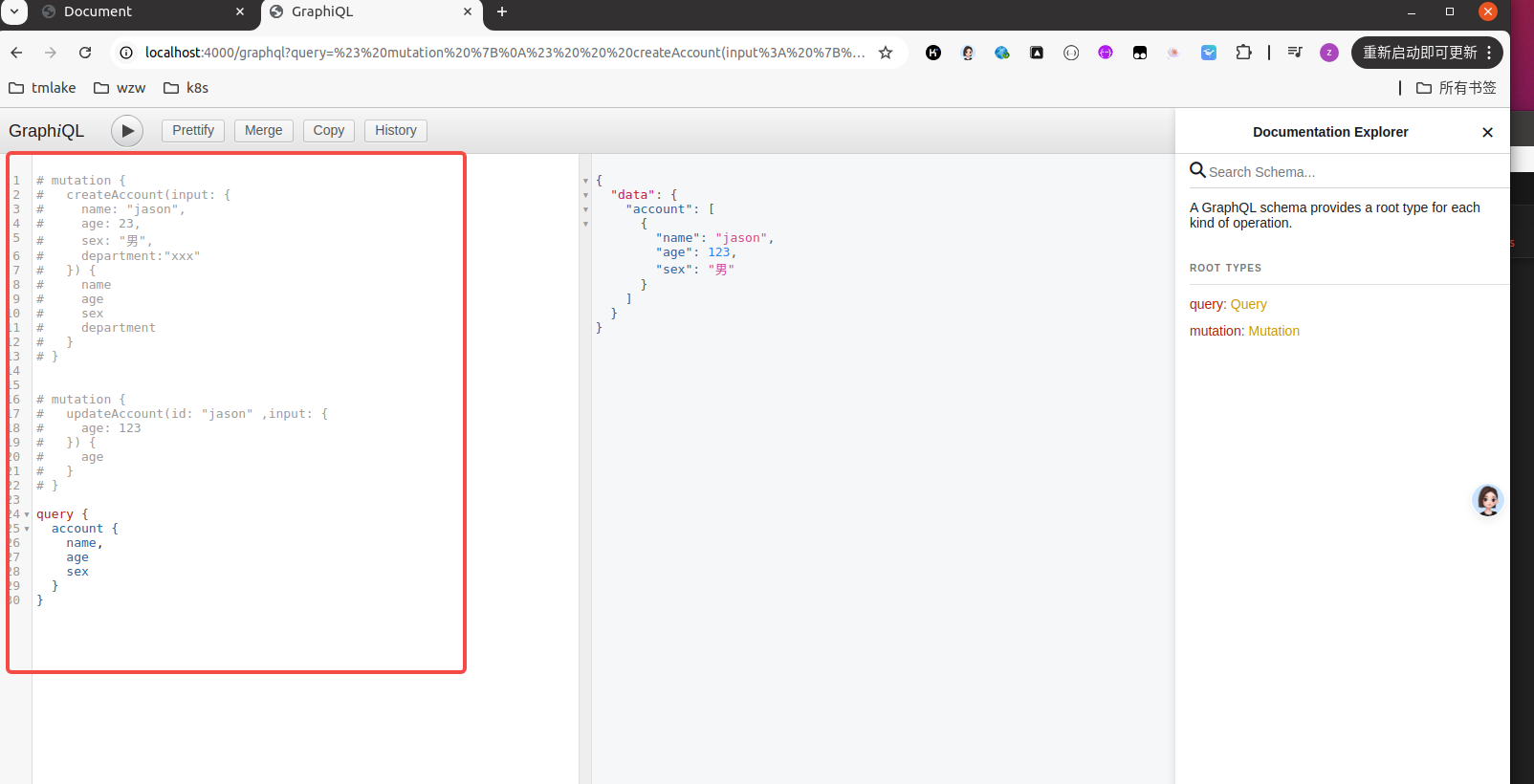
const express = require('express');
const { buildSchema } = require('graphql');
const {graphqlHTTP} = require('express-graphql');

const schema = buildSchema(`
type Account {
name: String
age: Int
sex: String
department: String
}
input AccountInput {
name: String
age: Int
sex: String
department: String
}
type Mutation {
createAccount(input: AccountInput): Account
updateAccount(id: ID!, input: AccountInput): Account
}
type Query {
account: [Account]
}
`);

const fakeDb = {};

const root = {
createAccount: ({input}) => {
//相当与数据库的保存
fakeDb[input.name] = input;
//返回保存结果
return fakeDb[input.name]
},
updateAccount: ({id, input}) => {
//相当与数据库的更新
fakeDb[id] = Object.assign({}, fakeDb[id], input);
//返回更新结果
return fakeDb[id]
},
account: () => {
var arr = [];
for(const key in fakeDb) {
arr.push(fakeDb[key]);
}
return arr;
}
};

const app = express();


app.use('/graphql', graphqlHTTP({
schema: schema,
rootValue: root,
graphiql: true,
}));


app.listen(4000);

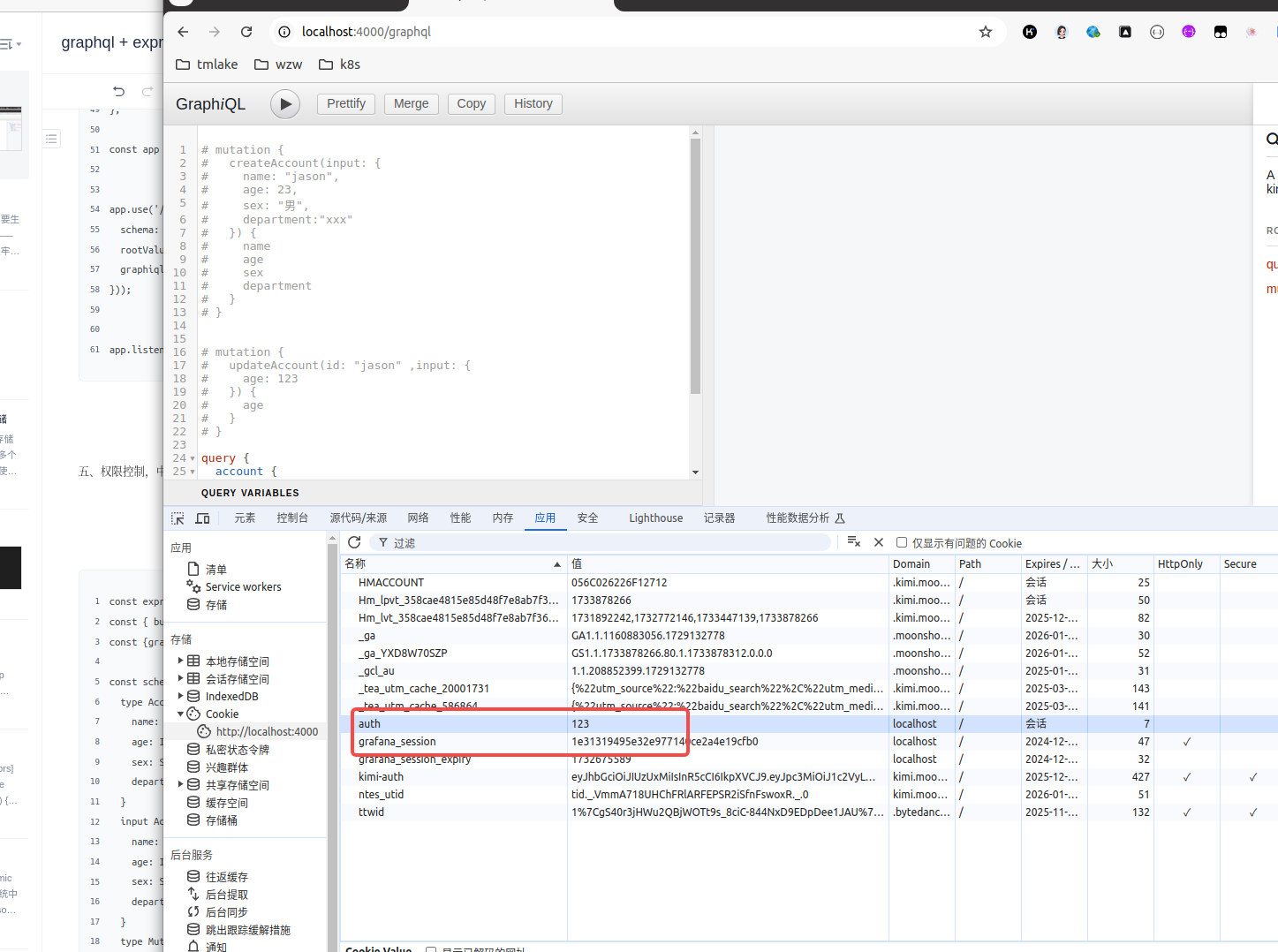
五、权限控制,中间件

1
2
3
4
5
6
7
8
9
10
11
12
13
14
15
16
17
18
19
20
21
22
23
24
25
26
27
28
29
30
31
32
33
34
35
36
37
38
39
40
41
42
43
44
45
46
47
48
49
50
51
52
53
54
55
56
57
58
59
60
61
62
63
64
65
66
67
68
69
70
71
72
73
74
75
76

const express = require('express');
const { buildSchema } = require('graphql');
const {graphqlHTTP} = require('express-graphql');

const schema = buildSchema(`
type Account {
name: String
age: Int
sex: String
department: String
}
input AccountInput {
name: String
age: Int
sex: String
department: String
}
type Mutation {
createAccount(input: AccountInput): Account
updateAccount(id: ID!, input: AccountInput): Account
}
type Query {
account: [Account]
}
`);

const fakeDb = {};

const root = {
createAccount: ({input}) => {
//相当与数据库的保存
fakeDb[input.name] = input;
//返回保存结果
return fakeDb[input.name]
},
updateAccount: ({id, input}) => {
//相当与数据库的更新
fakeDb[id] = Object.assign({}, fakeDb[id], input);
//返回更新结果
return fakeDb[id]
},
account: () => {
var arr = [];
for(const key in fakeDb) {
arr.push(fakeDb[key]);
}
return arr;
}
};

const app = express();

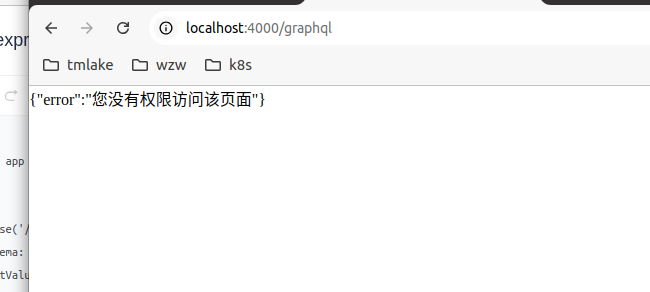
const middleware = (req, res, next) => {

if(req.url.indexOf('/graphql') > -1 && req.headers.cookie.indexOf('auth') === -1) {
res.send(JSON.stringify({
error: "您没有权限访问该页面"
}))
return;
}
next();
}

app.use(middleware);

app.use('/graphql', graphqlHTTP({
schema: schema,
rootValue: root,
graphiql: true,
}));


app.listen(4000);


六、

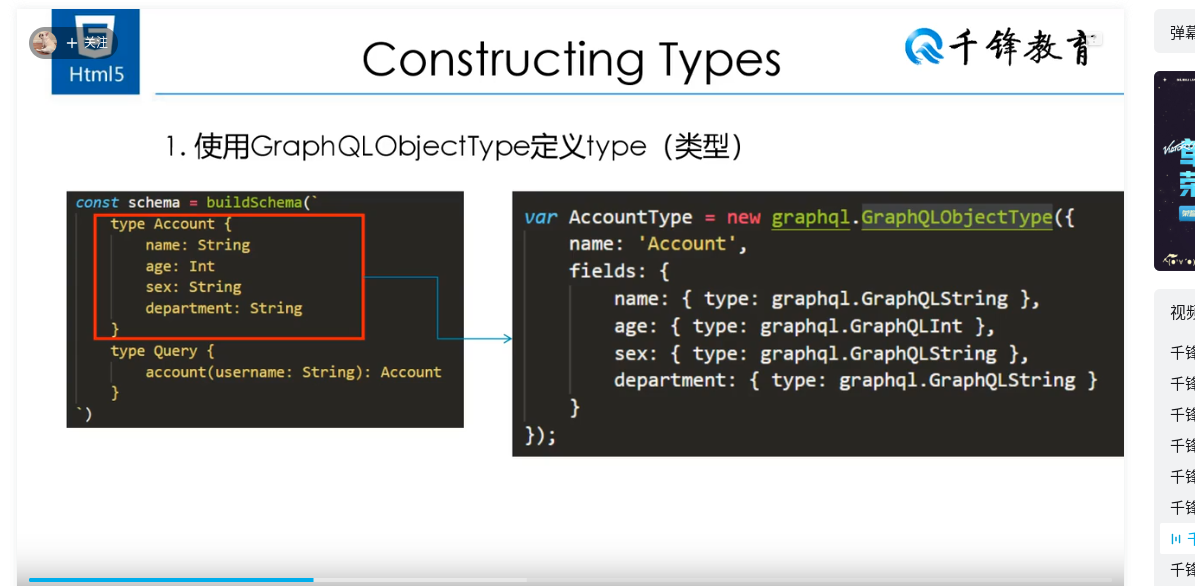
七、使用GraphQLObjectType

1
2
3
4
5
6
7
8
9
10
11
12
13
14
15
16
17
18
19
20
21
22
23
24
25
26
27
28
29
30
31
32
33
34
35
36
37
38
39
40
41
42
43
44
45
46
47
48
49
50
51
52
53
54
55
56

const express = require('express');
const graphql = require('graphql');
const {graphqlHTTP} = require('express-graphql');


const { GraphQLInt, GraphQLString, GraphQLObjectType, GraphQLSchema } = graphql;

var AccountType = new GraphQLObjectType({
name: 'Account',
fields: {
name: { type: GraphQLString },
age: { type: GraphQLInt },
sex: { type: GraphQLString },
department: { type: GraphQLString }
}
});


var queryType = new GraphQLObjectType({
name: 'Query',
fields: {
account: {
type: AccountType,
args: {
username: { type: GraphQLString }
},
resolve: function (_, { username }) {
return {
name: username,
age: 30,
sex: 'Male',
department: 'IT'
}
}
}
}
})


var schema = new GraphQLSchema({ query: queryType });


const app = express();

app.use('/graphql', graphqlHTTP({
schema: schema,
graphiql: true,
}));


app.listen(4000);


八、链接 mysql 实现增删改查

1
2
3
4
5
6
7
8
9
10
11
12
13
14
15
16
17
18
19
20
21
22
23
24
25
26
27
28
29
30
31
32
33
34
35
36
37
38
39
40
41
42
43
44
45
46
47
48
49
50
51
52
53
54
55
56
57
58
59
60
61
62
63
64
65
66
67
68
69
70
71
72
73
74
75
76
77
78
79
80
81
82
83
84
85
86
87
88
89
90
91
92
93
94
95
96
97
98
99
100
101
102
103
104
105
106
107
108
109
110
111
112
113
114
115
116
117
118
119
120
121
122
123
124
125
126
127
128
129
130
131
132
133
134
135
136
137
138
139
140
141
142
143
144
145
146
147
148
149
150
151
152
153
154
155
156
157
158
159
160
161
162
163
164
165
166
167
168
169
170
171
172
173
174
175
176
177
178
179
180
181
182
183
184
185
186

const express = require('express');
const { buildSchema } = require('graphql');
const {graphqlHTTP} = require('express-graphql');
const mysql = require('mysql2');


var connection = mysql.createConnection({
host : 'localhost',
user : 'admin',
password : 'Jason@#123',
database : 'dashen'
});

connection.connect((err) => {
if (err) {
console.error('Error connecting to MySQL:', err);
process.exit(1);
}
console.log('Connected to MySQL database');
});


const schema = buildSchema(`
type Account {
name: String
age: Int
sex: String
department: String
}
input AccountInput {
name: String
age: Int
sex: String
department: String
}
type Mutation {
createAccount(input: AccountInput): Account
updateAccount(id: ID!, input: AccountInput): Account
deleteAccount(id: ID!): Boolean
}
type Query {
account: [Account]
}
`);

const fakeDb = {};

const root = {
createAccount: ({input}) => {

const data = [
input.name,
input.age,
input.sex,
input.department
]

return new Promise((resolve, reject) => {

connection.query('INSERT INTO `account`(`name`,`age`,`sex`,`department`) VALUES(?,?,?,?)',data,function (error, results, fields) {
if (error) {
console.log(error);
return;
};
console.log('The solution is: ', results);
resolve(input);
});

});


},
updateAccount: ({id, input}) => {
const setClause = Object.keys(input).map(key => `${key} = ?`).join(', ');
const values = Object.values(input).concat(id);

return new Promise((resolve, reject) => {
connection.query(
`UPDATE \`account\` SET ${setClause} WHERE \`name\` = ?`,
values,
function (error, results, fields) {
if (error) {
console.log(error);
return reject(error);
}
console.log('The solution is: ', results);
resolve({ ...input, id }); // 返回更新的数据,并保留 ID
}
);
});
},
deleteAccount: ({id}) => {

return new Promise((resolve, reject) => {
connection.query('DELETE FROM `account` WHERE name = ?',id,function (error, results, fields) {
if (error) {
console.log(error);
return;
};
console.log('The solution is: ', results);
resolve(true);
})
})
},

account: () => {
// var arr = [];
// for(const key in fakeDb) {
// arr.push(fakeDb[key]);
// }
// return arr;

return new Promise((resolve, reject) => {
connection.query('SELECT name, age, sex, department FROM `account`',function (error, results, fields) {
if (error) {
console.log(error);
return;
};
console.log('The solution is: ', results);

const arr = [];
for(let i = 0; i < results.length; i++) {
arr.push({
name: results[i].name,
age: results[i].age,
sex: results[i].sex,
department: results[i].department
});
}
resolve(arr);
});
});


}
};

const app = express();


app.use('/graphql', graphqlHTTP({
schema: schema,
rootValue: root,
graphiql: true,
}));


app.listen(4000);

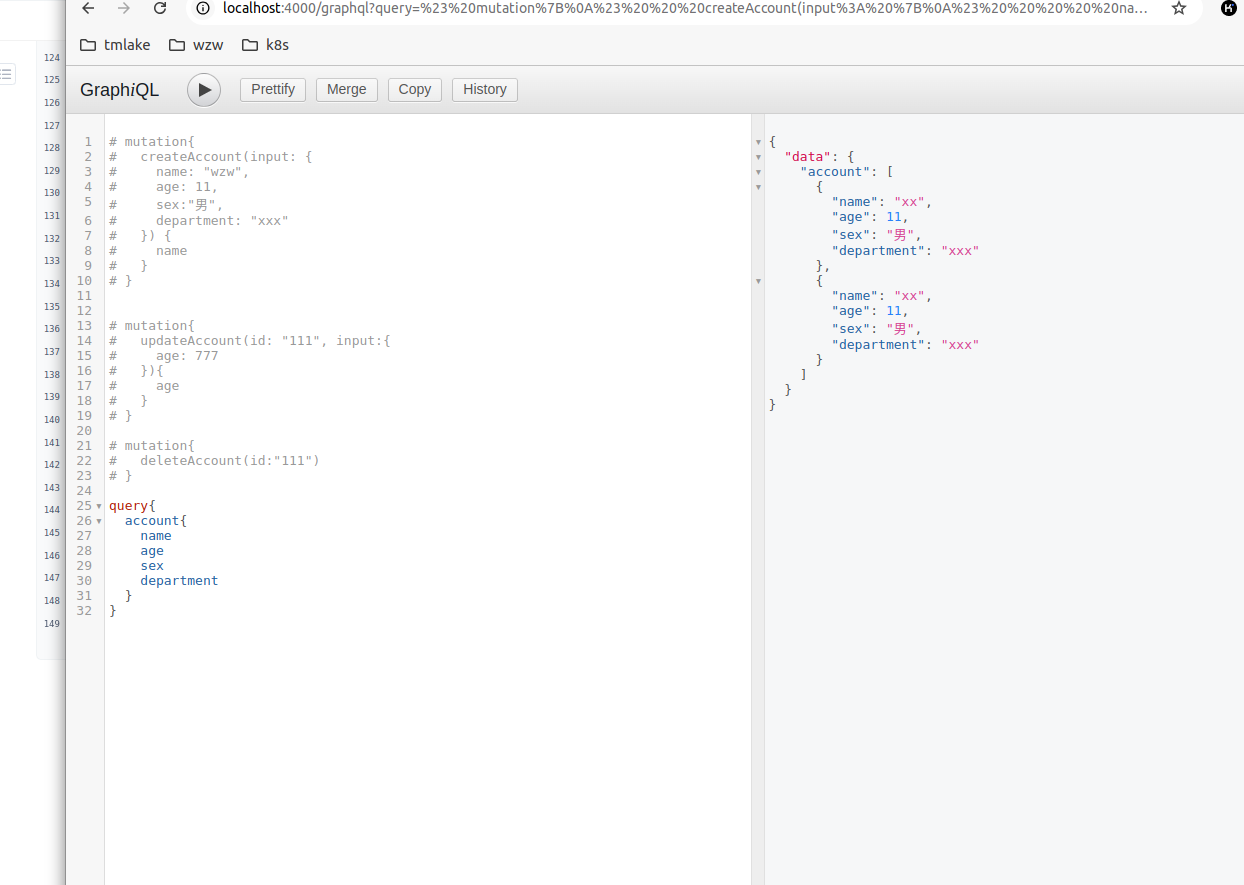
# mutation{
# createAccount(input: {
# name: "wzw",
# age: 11,
# sex:"男",
# department: "xxx"
# }) {
# name
# }
# }


# mutation{
# updateAccount(id: "111", input:{
# age: 777
# }){
# age
# }
# }

# mutation{
# deleteAccount(id:"111")
# }

query{
account{
name
age
sex
department
}
}


GraphQL教程,看过最详细的视频
https://www.bilibili.com/video/BV1EE411e7zB?spm_id_from=333.788.player.switch&vd_source=ffda878df0ed45bee1ade91d8f451048&p=6

https://www.npmjs.com/package/mysql