WBlog

wangzhiwei blog

0%

nodejs mcp study

nodejs mcp

package.json

1
2
3
4
5
6
7
8
9
10
11
12
13
14
15
16
17
18
19
20
{
"name": "nodejs-mcp-server",
"version": "1.0.0",
"main": "server.js",
"scripts": {
"test": "echo \"Error: no test specified\" && exit 1",
"start": "node server.js"
},
"keywords": [],
"author": "",
"license": "ISC",
"description": "",
"dependencies": {
"@modelcontextprotocol/sdk": "^1.22.0",
"express": "^5.1.0",
"zod": "^3.24.1"
},
"type": "module"
}

以文件的形式提供mcp服务
server.js

1
2
3
4
5
6
7
8
9
10
11
12
13
14
15
16
17
18
19
20
21
22
23
24
25
26
27
28
29
30
31
32
33
34
35
36
37
38
39
40
41
42
43
44
45
46
47
48
49
50
51
52
53
54
55
56
57
58
59
60
61
62
import { McpServer, ResourceTemplate } from '@modelcontextprotocol/sdk/server/mcp.js';
import { StdioServerTransport } from '@modelcontextprotocol/sdk/server/stdio.js';
import * as z from 'zod';

const server = new McpServer({
name: 'demo-server',
version: '1.0.0'
});

// 工具1:笑话(修复版)
server.registerTool(
'tell_weird_joke',
{
title: 'Tell Weird Joke',
description: 'Generate a weird joke about a specified topic',
inputSchema: z.object({ // 修复:必须使用 z.object()
topic: z.string().describe('The topic of the joke')
})
},
async ({ topic }) => {
return {
content: [{ type: 'text', text: `The weirdest joke about ${topic} is... hahaha!` }],
};
}
);

// 工具2:加法(修复版)
server.registerTool(
'add',
{
title: 'Addition Tool',
description: 'Add two numbers',
inputSchema: z.object({ // 修复:必须使用 z.object()
a: z.number(),
b: z.number()
})
},
async ({ a, b }) => {
return {
content: [{ type: 'text', text: `Result: ${a + b}` }],
};
}
);

// 资源:问候
server.registerResource(
'greeting',
new ResourceTemplate('greeting://{name}', { list: undefined }),
{ title: 'Greeting Resource', description: 'Dynamic greeting generator' },
async (uri, { name }) => ({
contents: [{ uri: uri.href, text: `Hello, ${name}!` }]
})
);

// 启动
async function main() {
const transport = new StdioServerTransport();
await server.connect(transport);
console.error('✅ MCP 服务器已启动');
}
main().catch(console.error);

运行

npx @modelcontextprotocol/inspector nodejs server.js

1
2
3
4
5
6
7
8
9
10
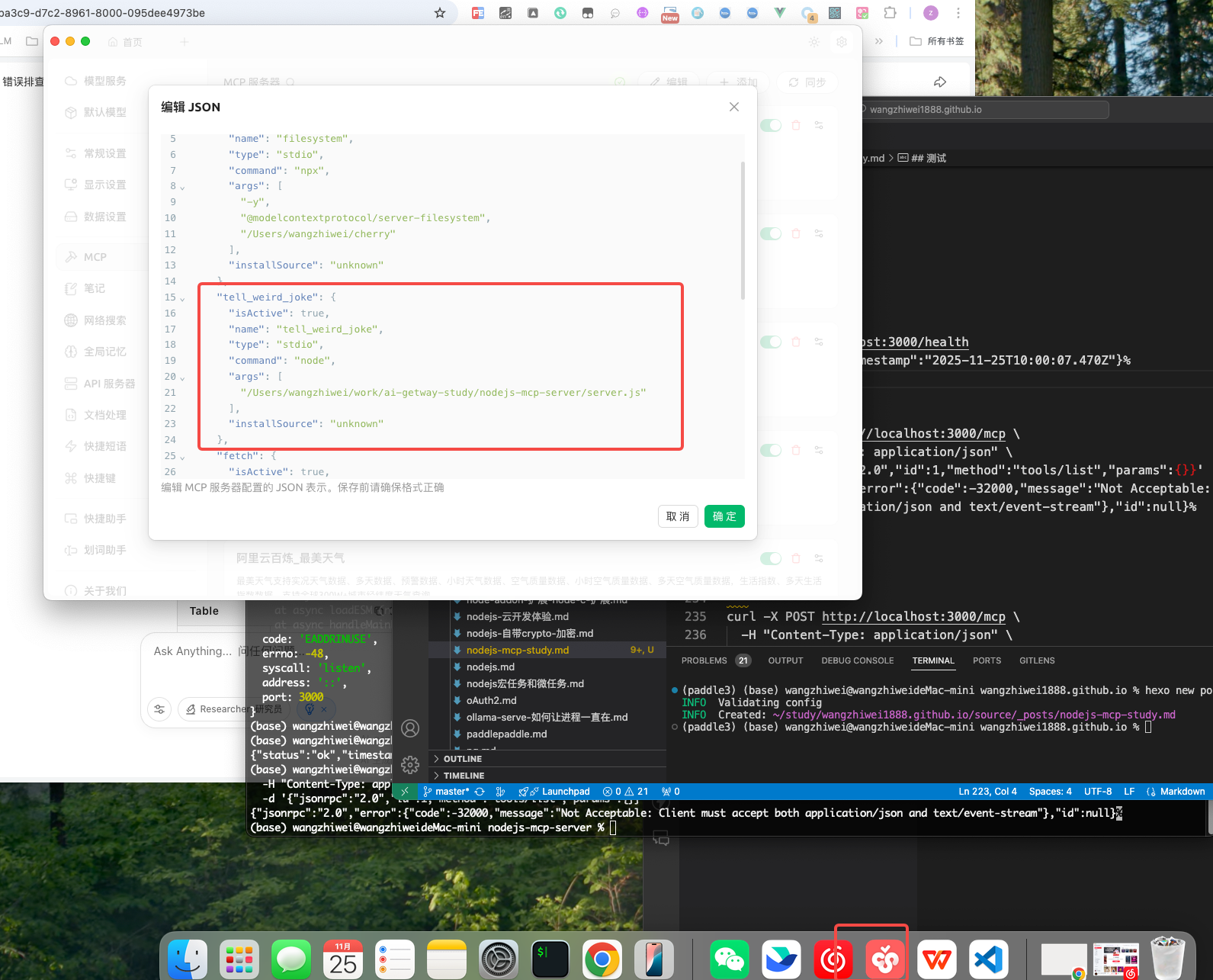
"tell_weird_joke": {
"isActive": true,
"name": "tell_weird_joke",
"type": "stdio",
"command": "node",
"args": [
"/Users/wangzhiwei/work/ai-getway-study/nodejs-mcp-server/server.js"
],
"installSource": "unknown"
},

以http端点的形式提供 mcp 服务
server2.js

1
2
3
4
5
6
7
8
9
10
11
12
13
14
15
16
17
18
19
20
21
22
23
24
25
26
27
28
29
30
31
32
33
34
35
36
37
38
39
40
41
42
43
44
45
46
47
48
49
50
51
52
53
54
55
56
57
58
59
60
61
62
63
64
65
66
67
68
69
70
71
72
73
74
75
76
77
78
79
80
81
82
83
84
85
86
87
88
89
90
91
92
93
94
95
96
97
98
99
100
101
import { McpServer, ResourceTemplate } from '@modelcontextprotocol/sdk/server/mcp.js';
import { StreamableHTTPServerTransport } from '@modelcontextprotocol/sdk/server/streamableHttp.js';
import express from 'express';
import * as z from 'zod';

// 1. 创建 MCP 服务器(保持不变)
const server = new McpServer({
name: 'demo-server',
version: '1.0.0'
});

// 2. 注册所有工具和资源(保持不变)
server.registerTool(
'tell_weird_joke',
{
title: 'Tell Weird Joke',
description: 'Generate a weird joke about a specified topic',
inputSchema: z.object({
topic: z.string().describe('The topic of the joke')
})
},
async ({ topic }) => {
return {
content: [{ type: 'text', text: `The weirdest joke about ${topic} is... hahaha!` }],
};
}
);

server.registerTool(
'add',
{
title: 'Addition Tool',
description: 'Add two numbers',
inputSchema: z.object({
a: z.number(),
b: z.number()
})
},
async ({ a, b }) => {
return {
content: [{ type: 'text', text: `Result: ${a + b}` }],
};
}
);

server.registerResource(
'greeting',
new ResourceTemplate('greeting://{name}', { list: undefined }),
{ title: 'Greeting Resource', description: 'Dynamic greeting generator' },
async (uri, { name }) => ({
contents: [{ uri: uri.href, text: `Hello, ${name}!` }]
})
);

// 3. 创建 Express 应用
const app = express();
app.use(express.json());

// 4. 添加健康检查端点(可选)
app.get('/health', (req, res) => {
res.json({ status: 'ok', timestamp: new Date().toISOString() });
});

// 5. 核心 MCP HTTP 端点
app.post('/mcp', async (req, res) => {
// 每个请求创建独立 transport 实例(避免请求 ID 冲突)
const transport = new StreamableHTTPServerTransport({
sessionIdGenerator: undefined,
enableJsonResponse: true // 启用 JSON 响应格式
});

// 请求结束时清理资源
res.on('close', () => {
transport.close();
});

try {
// 将 transport 连接到 MCP 服务器
await server.connect(transport);

// 处理请求并返回响应
await transport.handleRequest(req, res, req.body);
} catch (error) {
console.error('❌ MCP request error:', error);
if (!res.headersSent) {
res.status(500).json({ error: 'Internal server error' });
}
}
});

// 6. 启动 HTTP 服务器
const port = parseInt(process.env.PORT || '3000');
app.listen(port, () => {
console.log(`🚀 MCP HTTP Server running at http://localhost:${port}`);
console.log(`📡 MCP endpoint: http://localhost:${port}/mcp`);
console.log(`🏥 Health check: http://localhost:${port}/health`);
}).on('error', error => {
console.error('❌ Server error:', error);
process.exit(1);
});

运行

node server2.js

测试

1
2
curl http://localhost:3000/health
{"status":"ok","timestamp":"2025-11-25T10:00:07.470Z"}%
1
2
3
4
5
curl -X POST http://localhost:3000/mcp \
-H "Content-Type: application/json" \
-d '{"jsonrpc":"2.0","id":1,"method":"tools/list","params":{}}'
{"jsonrpc":"2.0","error":{"code":-32000,"message":"Not Acceptable: Client must accept both application/json and text/event-stream"},"id":null}%

1
2
3
4
5
6
7
8
curl -X POST http://localhost:3000/mcp \
-H "Content-Type: application/json" \
-H "Accept: application/json, text/event-stream" \
-d '{"jsonrpc":"2.0","id":1,"method":"tools/list","params":{}}'


{"result":{"tools":[{"name":"tell_weird_joke","title":"Tell Weird Joke","description":"Generate a weird joke about a specified topic","inputSchema":{"type":"object","properties":{"topic":{"type":"string","description":"The topic of the joke"}},"required":["topic"],"additionalProperties":false,"$schema":"http://json-schema.org/draft-07/schema#"}},{"name":"add","title":"Addition Tool","description":"Add two numbers","inputSchema":{"type":"object","properties":{"a":{"type":"number"},"b":{"type":"number"}},"required":["a","b"],"additionalProperties":false,"$schema":"http://json-schema.org/draft-07/schema#"}}]},"jsonrpc":"2.0","id":1}%

1
2
3
4
5
6
curl -X POST http://localhost:3000/mcp \
-H "Content-Type: application/json" \
-H "Accept: application/json, text/event-stream" \
-d '{"jsonrpc":"2.0","id":2,"method":"tools/call","params":{"name":"add","arguments":{"a":5,"b":3}}}'

{"result":{"content":[{"type":"text","text":"Result: 8"}]},"jsonrpc":"2.0","id":2}%
1
2
3
4
5
6
7

curl -X POST http://localhost:3000/mcp \
-H "Content-Type: application/json" \
-H "Accept: application/json, text/event-stream" \
-d '{"jsonrpc":"2.0","id":3,"method":"tools/call","params":{"name":"tell_weird_joke","arguments":{"topic":"programming"}}}'

{"result":{"content":[{"type":"text","text":"The weirdest joke about programming is... hahaha!"}]},"jsonrpc":"2.0","id":3}%

参考文档

https://github.com/modelcontextprotocol/typescript-sdk