环境安装 conda
conda python 版本管理 工具
unbutu 下安装 conda
wget https://repo.anaconda.com/miniconda/Miniconda3-latest-Linux-x86_64.sh
chmod +x Miniconda3-latest-Linux-x86_64.sh
./Miniconda3-latest-Linux-x86_64.sh
yes
确认
yes
安装python
conda create -n ttt python=3.10
切换环境
conda activate ttt
安装 langchain-chatchat
采用清华源安装
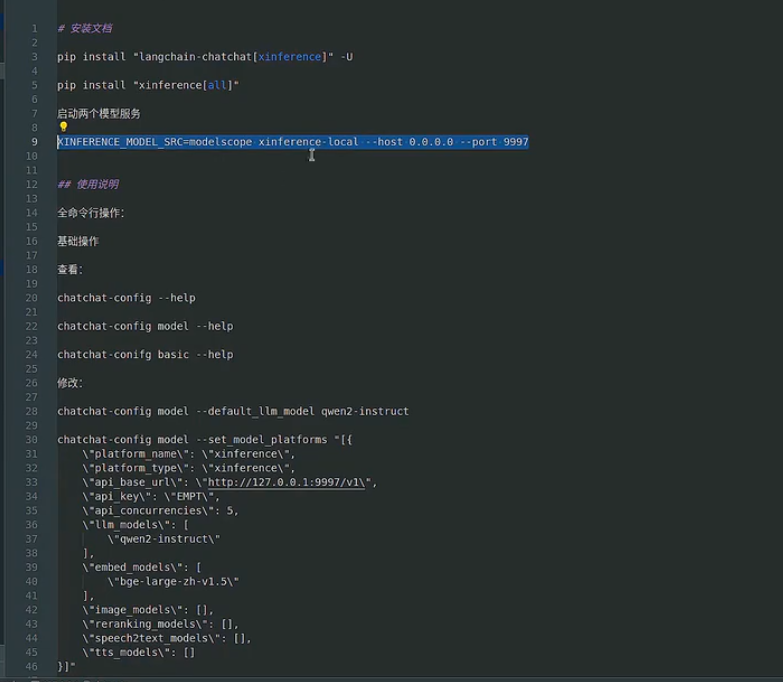
pip install “langchain-chatchat[xinference]” -U -i https://pypi.tuna.tsinghua.edu.cn/simple
pip install “xinference[all]” -i https://pypi.tuna.tsinghua.edu.cn/simple
XINFERENCE_MODEL_SRC=modelscope xinference-local –host 0.0.0.0 –port 9997
机器配置
要有显卡