1
2
3
4
5
6
7
8
9
10
11
12
13
14
15
16
17
18
19
20
21
22
23
24
25
26
27
28
29
30
31
32
33
34
35
36
37
38
39
40
41
42
43
44
45
46
47
48
49
50
51
52
53
54
55
56
57
58
59
60
61
62
63
64
65
66
67
68
69
70
71
72
73
74
75
76
77
78
79
80
81
82
83
84
85
86
87
88
89
90
91
92
93
94
95
96
97
98
99
100
101
102
103
104
105
106
107
108
109
110
111
112
113
114
115
116
117
118
119
120
121
122
123
124
125
126
127
128
129
130
131
132
133
134
135
136
137
138
139
140
141
142
143
144
145
146
147
148
149
150
151
152
153
154
155
156
157
158
159
160
161
162
163
164
165
166
167
168
169
170
171
172
173
174
175
176
177
178
179
180
181
182
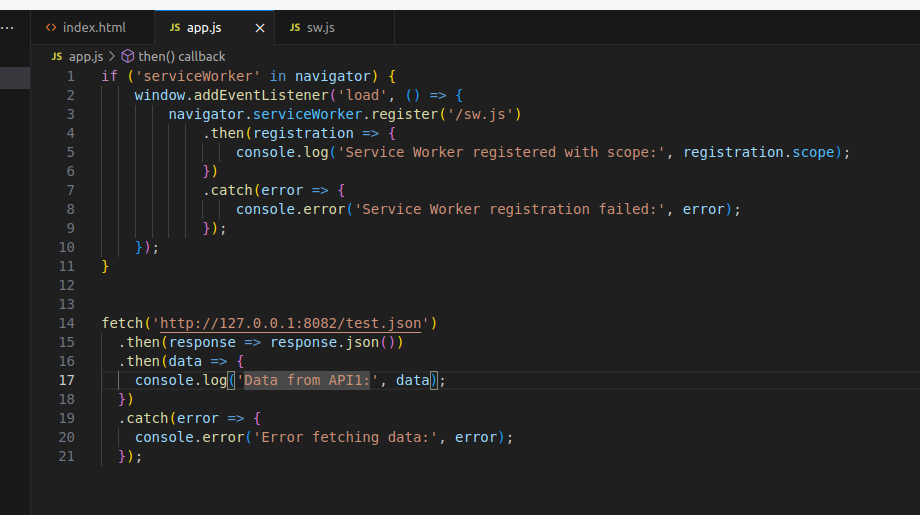
| app.js
if ('serviceWorker' in navigator) {
window.addEventListener('load', () => {
navigator.serviceWorker.register('/sw.js')
.then(registration => {
console.log('Service Worker registered with scope:', registration.scope);
})
.catch(error => {
console.error('Service Worker registration failed:', error);
});
});
}
index.html
<!DOCTYPE html>
<html lang="en">
<head>
<meta charset="UTF-8">
<meta name="viewport" content="width=device-width, initial-scale=1.0">
<title>PWA Demo</title>
<link rel="stylesheet" href="style.css">
<link rel="manifest" href="manifest.json">
</head>
<body>
<header>
<h1>PWA Demo</h1>
</header>
<main style="background: red;">
<p>This is a simple PWA demo.</p>
</main>
<script src="app.js"></script>
</body>
</html>
manifest.json
{
"name": "PWA Demo",
"short_name": "PWA Demo",
"start_url": "/",
"display": "standalone",
"background_color": "#f0f0f0",
"theme_color": "#4CAF50",
"icons": [
{
"src": "icon-192x192.png",
"sizes": "192x192",
"type": "image/png"
},
{
"src": "icon-512x512.png",
"sizes": "512x512",
"type": "image/png"
}
]
}
style.css
body {
font-family: Arial, sans-serif;
margin: 0;
padding: 0;
display: flex;
flex-direction: column;
align-items: center;
justify-content: center;
height: 100vh;
background-color: #f0f0f0;
}
header {
background-color: #4CAF50;
color: white;
width: 100%;
text-align: center;
padding: 10px 0;
}
main {
text-align: center;
}
img {
margin-top: 20px;
}
sw.js
const CACHE_NAME = 'pwa-demo-cache-v1';
const urlsToCache = [
'/',
'/index.html',
'/style.css',
'/app.js'
];
self.addEventListener('install', async event => {
const cache = await caches.open(CACHE_NAME);
await cache.addAll(urlsToCache);
await self.skipWaiting();
});
self.addEventListener('activate', async event => {
const keys = await caches.keys();
keys.forEach(key => {
if (key !== CACHE_NAME) {
caches.delete(key);
}
});
await self.clients.claim();
});
self.addEventListener('fetch', event => {
// 1. 只缓存同源的内容
const req = event.request;
const url = new URL(req.url);
if (url.origin !== location.origin) {
return;
}
// 2. 接口走网络优先策略 静态资源走缓存优先策略
if (req.url.includes('/api/')) {
event.respondWith(
networkFirst(event.request)
);
} else {
event.respondWith(
cacheFirst(event.request)
);
}
});
// networkFirst 一般适用于动态资源
async function networkFirst(request) {
const cache = await caches.open(CACHE_NAME);
try {
const response = await fetch(request);
//保证缓存最新的数据
cache.put(request, response.clone());
return response;
} catch (error) {
const cachedResponse = await cache.match(request);
return cachedResponse;
}
}
// catchFirst 一般适用于静态资源
async function cacheFirst(request) {
const cache = await caches.open(CACHE_NAME);
const cachedResponse = await cache.match(request);
if (cachedResponse) {
return cachedResponse;
}
const response = await fetch(request);
cache.put(request, response.clone());
return response;
}
|